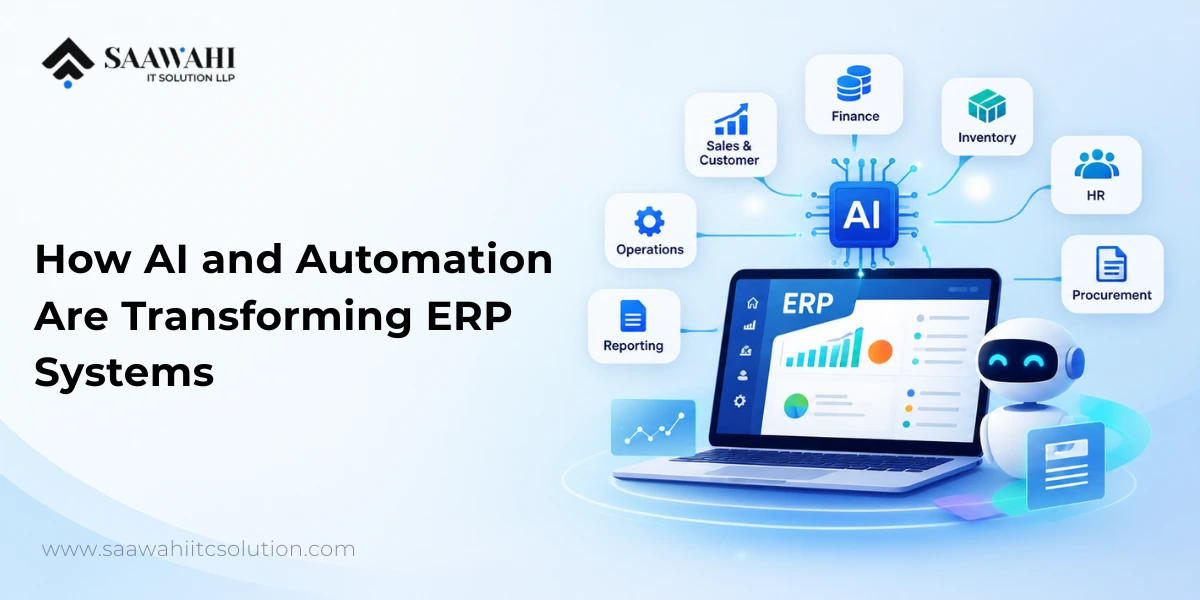
AI-Powered ERP Software: How AI and Automation Are Transforming ERP Systems
Date - 14/09/2026
AI | 25th August
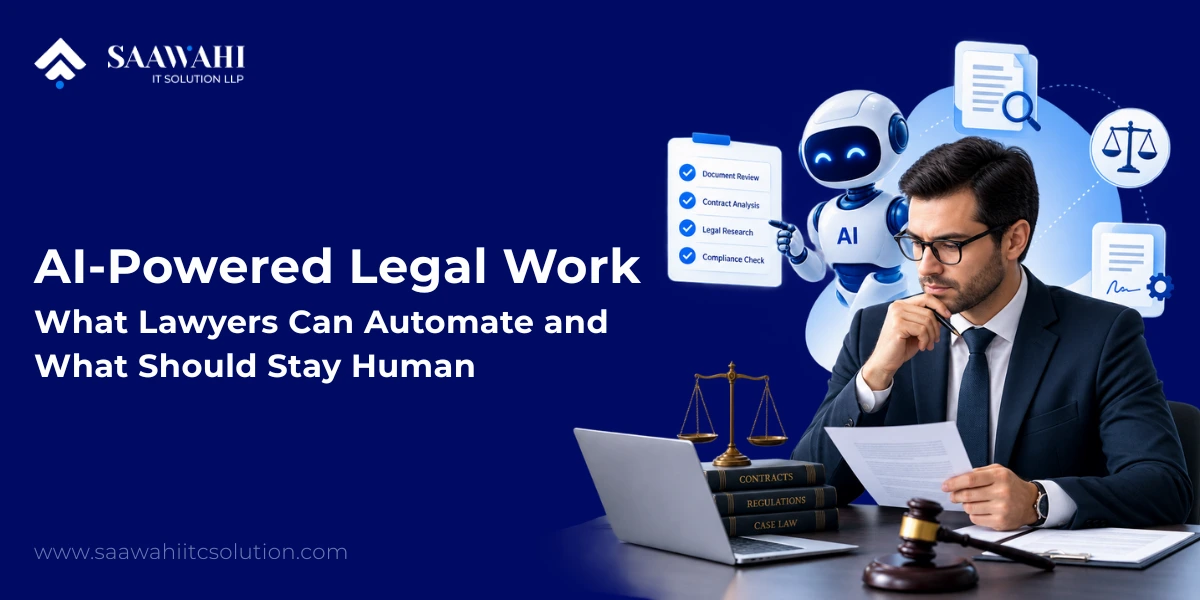
Artificial intelligence is changing how legal professionals handle research, documents, communication, and routine workflows. But the most useful question for lawyers is not whether AI will replace them. It is which parts of legal work AI can perform efficiently, and which responsibilities should remain under human control.
Generative AI can already assist with drafting, organization, summarization, and other productivity tasks. At the same time, legal professionals remain responsible for checking AI-generated work, protecting confidential information, and meeting applicable professional obligations. Recent American Bar Association guidance continues to emphasize that AI does not create an exception to a lawyer’s existing professional responsibilities.
The practical model, therefore, is not AI versus lawyers.
It is AI handling suitable tasks while lawyers retain judgment, accountability, and control over consequential decisions.
AI-powered legal work refers to using artificial intelligence to assist with tasks that traditionally require significant amounts of manual searching, reading, classification, drafting, or information processing.
This can include:
The important distinction is between assistance and delegation of professional responsibility.
AI can process information quickly, but a lawyer must still determine whether the result is accurate, relevant, legally appropriate, and suitable for the particular client or matter.
The ABA’s 2026 guidance similarly describes AI as a productivity tool rather than a replacement for legal judgment, while emphasizing verification, confidentiality, and professional responsibility.
The strongest opportunities generally involve work that is repetitive, information-heavy, structured, and capable of being checked against source material.
Legal research can involve reviewing large amounts of material before a lawyer can identify the information relevant to a specific question.
AI can assist by:
However, AI-generated legal research should not automatically be treated as authoritative.
AI systems can produce inaccurate information or citations that appear convincing but are incorrect. The ABA has specifically highlighted hallucination and verification risks in AI-assisted legal research.
A safer workflow is:
AI-assisted research → source verification → lawyer analysis → final legal work
The AI assists with information processing; the lawyer determines what the information actually means.
Document-heavy work is one of the clearest areas for AI assistance.
A legal team may need to review:
AI can help identify relevant information and produce structured summaries.
For example, a document-review workflow could extract:
| Information | AI-assisted task |
| Parties | Identify names and roles |
| Dates | Extract important dates |
| Obligations | Identify contractual obligations |
| Clauses | Locate relevant provisions |
| Risks | Flag predefined risk indicators |
| Changes | Compare document versions |
| Key terms | Extract specified information |
The objective is not to allow AI to make the final legal determination. It is to reduce the amount of manual information processing required before a lawyer performs the substantive review.
Contract analysis can involve repetitive review of clauses, obligations, dates, definitions, and exceptions.
AI can assist with:
For larger organizations, this can become part of a broader AI-powered legal workflow connecting document management, contract repositories, approval processes, and internal systems.
The final interpretation of a clause, however, should remain subject to appropriate legal review.
Generative AI can help lawyers create initial drafts for certain types of content.
Potential applications include:
The key word is draft.
AI-generated text should not automatically become the final legal document.
A practical workflow is:
Prompt → AI draft → lawyer review → factual verification → legal analysis → revision → final approval
This approach allows lawyers to spend less time starting from a blank page while retaining control over the final result.
Not every legal AI opportunity requires generative AI.
Traditional workflow automation combined with AI can handle activities such as:
This is where AI automation services and conventional business automation can work together.
For example:
Incoming document → AI extracts relevant information → system classifies request → workflow assigns responsible team member → lawyer reviews → approved information enters the firm’s system.
The lawyer remains part of the workflow while repetitive administrative steps are automated.
AI can also assist with the first stages of client interaction.
A properly designed AI chatbot or intake system can:
A legal chatbot should not be positioned as an unrestricted replacement for a lawyer.
Its role can instead be limited to clearly defined information and workflow tasks, with escalation to a qualified professional when human judgment is required.
This is an area where AI chatbot development can be combined with workflow automation, document management, CRM systems, and human escalation.
The most important part of legal AI adoption is understanding what not to automate completely.
AI can identify patterns and summarize information, but legal judgment involves context, interpretation, professional experience, and responsibility.
A lawyer must determine:
These decisions should not simply be delegated to an AI model.
Clients depend on lawyers for professional advice based on their particular circumstances.
AI may assist with preparing information, but the final advice should be reviewed and approved by the appropriate legal professional.
The ABA’s current guidance emphasizes that lawyers remain accountable for their professional responsibilities when using generative AI.
Legal work frequently involves sensitive information.
Before introducing AI into a legal workflow, organizations should understand:
NIST’s Generative AI Profile specifically identifies risks involving privacy, sensitive information exposure, intellectual property, and security as areas organizations should manage.
A legal AI implementation therefore needs more than a capable model. It needs appropriate AI security, data governance, access control, and risk-management processes.
Litigation strategy, negotiation strategy, business judgment, and client-specific recommendations require context that may extend beyond the information available to an AI system.
AI can help organize possibilities.
The lawyer should decide which possibility is appropriate.
A useful principle for legal AI is:
AI may prepare. Humans must verify and approve.
A 2026 ABA checklist recommends final human sign-off for AI-generated legal work.
This creates a human-in-the-loop model where AI improves efficiency without removing professional accountability.
| Legal Activity | AI Assistance | Human Control |
| Document classification | High | Review exceptions |
| Document summarization | High | Verify important facts |
| Information extraction | High | Validate extracted information |
| Contract comparison | High | Interpret legal significance |
| First-draft generation | High | Final drafting and approval |
| Research organization | High | Verify authorities |
| Client intake | High | Professional assessment |
| Workflow routing | High | Handle exceptions |
| Legal strategy | Limited | Primary responsibility |
| Legal advice | Limited | Required professional judgment |
| Ethical decisions | Low | Human responsibility |
| Final legal work | Assistive | Human approval |
The dividing line should not be thought of as simply “easy tasks versus difficult tasks.”
A better question is:
Can the task be automated while preserving accuracy, confidentiality, appropriate oversight, and professional accountability?
The next stage of legal AI is moving beyond individual prompts toward connected workflows.
An AI agent can be designed to perform a sequence of defined actions rather than simply answer one question.
For example:
This type of workflow can reduce repetitive coordination work.
However, an AI agent operating in a legal environment should have clearly defined permissions, access controls, escalation rules, logging, and human checkpoints.
For organizations exploring this approach, AI agent development can be particularly useful when the workflow contains multiple repetitive steps across different systems.
General-purpose AI tools can be useful for individual productivity, but organizations often need AI to work within their existing systems and policies.
A custom AI solution can potentially connect with:
This makes it possible to design AI around the organization’s actual workflow rather than asking employees to manually move information between unrelated tools.
For example:
Legal documents → secure knowledge layer → AI processing → structured output → workflow automation → human approval
This is where AI development services, generative AI development, and AI automation can become part of a broader legal-technology strategy.
A practical implementation should begin with the workflow—not the AI model.
Find processes involving significant manual effort.
Determine whether the workflow involves:
Specify exactly which actions the AI system is permitted to perform.
Create explicit boundaries around:
Decide where a lawyer must review or approve the output.
Evaluate:
AI systems should be monitored rather than treated as “set and forget” software.
NIST’s AI Risk Management Framework recommends managing AI risk throughout the AI lifecycle, including design, deployment, use, and evaluation.
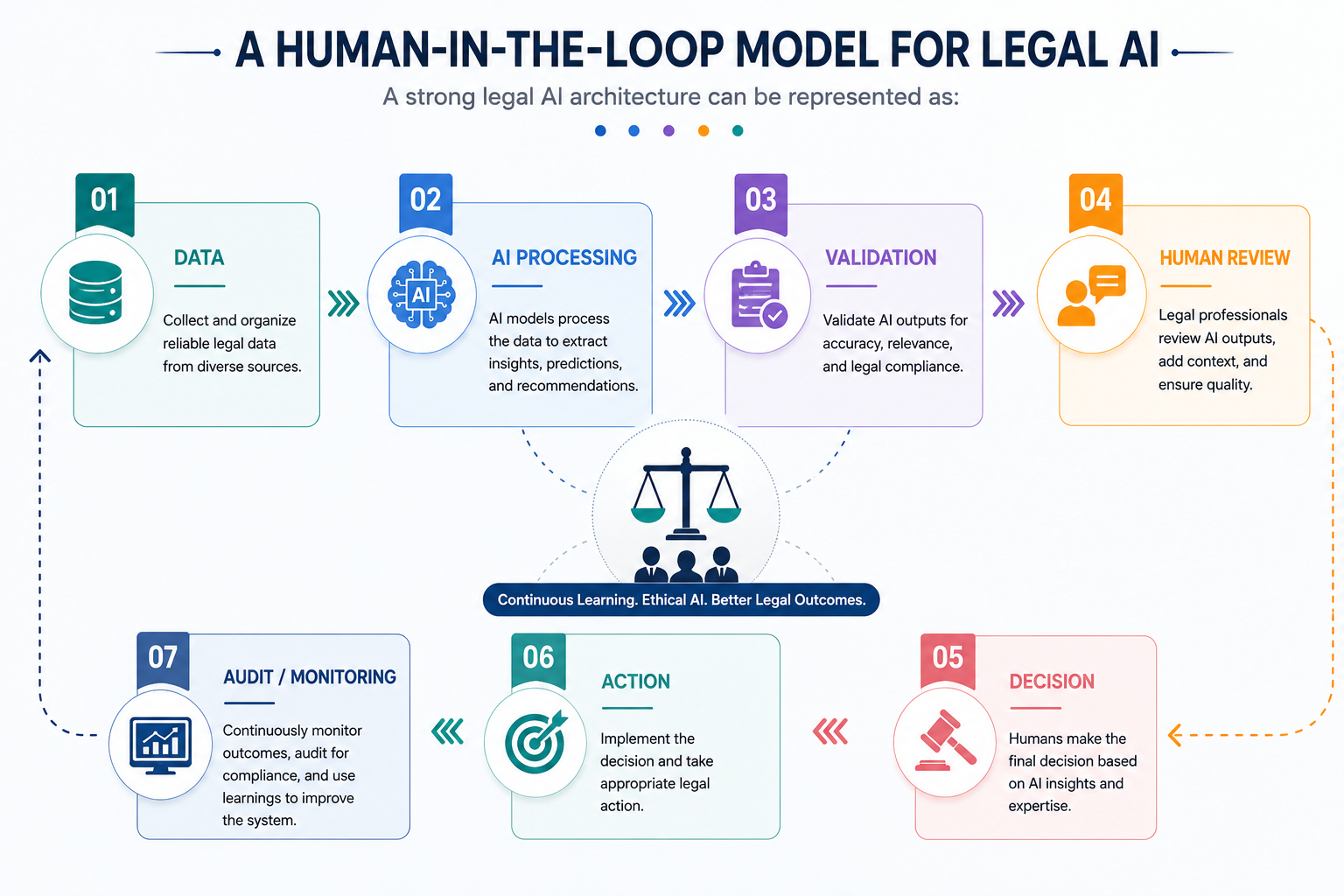
This model creates a balance between automation and professional control.
The AI handles computational and repetitive work.
The lawyer retains responsibility for interpretation and consequential decisions.
Technology should solve a defined problem rather than being introduced simply because AI is available.
AI can produce convincing but incorrect information.
Confidentiality and privacy requirements should be considered before selecting a tool.
AI systems should have only the access required for their defined role.
Legal accountability does not disappear because AI produced the output.
Efficiency matters, but organizations should also measure:
The future is unlikely to be defined simply by lawyers using chatbots.
Instead, legal teams are likely to increasingly combine:
The result is a more connected workflow in which AI handles information-heavy tasks while lawyers concentrate on areas where professional judgment creates the most value.
The key question will therefore shift from:
“Can AI do this task?”
to:
“What is the safest and most effective way to combine AI capabilities with human expertise for this task?”
That is a much more useful framework for legal organizations planning AI adoption.
Organizations that want to move beyond off-the-shelf AI tools may need systems designed around their existing workflows, data, and business requirements.
Saawahi IT Solution can help businesses explore AI development services, generative AI solutions, AI agents, AI automation, and custom AI applications designed around specific operational requirements.
Potential solutions can include:
For legal organizations, the implementation should be designed around appropriate security, access controls, human review, and governance requirements rather than simply connecting a general-purpose model to sensitive data.
AI can automate or assist with many legal tasks, but it does not eliminate the need for professional legal judgment, accountability, client communication, and ethical responsibility. The practical opportunity is to use AI to increase the capacity of legal professionals rather than treating it as a replacement for them.
AI can assist with document classification, summarization, information extraction, contract comparison, research organization, first-draft generation, intake workflows, administrative processes, and other repetitive information-processing tasks.
AI can assist with legal research by organizing information, identifying potentially relevant material, and preparing research summaries. However, lawyers should independently verify legal authorities and AI-generated citations before relying on them.
AI can help create first drafts, outlines, summaries, and other preliminary documents. Final legal documents should be reviewed and approved by the appropriate legal professional.
It depends on the AI system, configuration, data controls, contractual terms, security architecture, and applicable professional obligations. Legal organizations should evaluate privacy, confidentiality, access control, retention, security, and data-processing practices before using AI with sensitive information. NIST’s generative AI guidance specifically identifies privacy and sensitive-data exposure among the risks organizations should manage.
Start with a specific workflow problem, identify appropriate automation opportunities, assess risks, select the technology, establish human-review checkpoints, test the system, and continuously monitor its performance.
AI-powered legal work is not about deciding whether lawyers or artificial intelligence should control the workflow.
It is about determining which work AI can perform efficiently and which decisions require human expertise.
AI can help reduce repetitive information-processing work across research, document review, drafting, contract analysis, intake, and workflow automation. But legal judgment, client advice, confidentiality, strategy, ethical responsibility, and final approval require appropriate human oversight.
The strongest legal AI strategy is therefore not full automation.
It is controlled automation with human judgment at the right points in the workflow.
For organizations considering custom AI solutions, the opportunity is to build systems that fit existing processes while maintaining appropriate security, governance, verification, and human control.
AI should make legal professionals more capable—not less accountable.
Disclaimer: This article provides general information about AI and legal workflows. It is not legal advice. Specific professional, confidentiality, regulatory, and court requirements vary by jurisdiction and matter.

Wama Sompura is the CEO of Saawahi IT Solution, leading innovations in AI, automation, and digital solutions that help businesses drive efficiency and growth.
© Copyright 2025 All Rights Reserved. Saawahi IT Solution LLP.